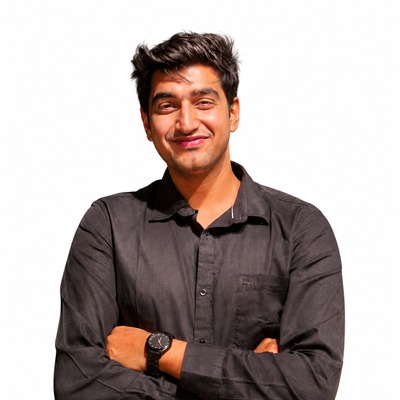
Nitish Kumar Singh
Input Creator · PES Plot · xTB · Conformational Analysis · 3D Visualizer · AutoChemy Web
Automate Computational Chemistry
ORCA input creation and PES plotting in the browser
B3LYP for organics · BP86/TPSSh for transition metals · wB97X-D3 for accurate energetics
Selected Theoretical Model
def2-SVP/TZVP are strongly recommended for most ORCA work.
This web app can generate ORCA input and job scripts, but it cannot run ORCA in the browser. To submit and run calculations locally, download the full AutoChemy desktop software.
⚠ xTB is a semiempirical tight-binding method. Use it for quick screening / geometry pre-check before full DFT.
xTB developed by Prof. Stefan Grimme and coworkers.
Set up local xTB to run calculations from this tab. The browser cannot execute xTB by itself.
xTB output folder: (run a job to see path — project-local external_modules/xtb/xtb_runs/xtb_run_…)
Paste or load XYZ, ORCA * xyz … *, ORCA .out coordinates, Gaussian .gjf, or plain atom lines. Formats are auto-normalized on paste.
| Species Name | Type | Plot? | Stoich | Normal Term | Imag Modes | Electronic E (Eh) | Enthalpy (Eh) | Gibbs (Eh) | SP Electronic (Eh) | <S**2> | S**2 Dev | Rel E | Rel G | Rel H |
|---|
When you open PES Plot in the sidebar, choose Auto plot (ORCA .out energies) or Manual plot (type levels). Auto workflow: add files, Recompute, then Generate Plot for the full plot window with style, colours, and export.
Paste or load an XYZ structure and explore it interactively.
Drag or swipe to rotate · Pinch or scroll to zoom · Tap atoms in order: 2 = bond length, 3 = angle, 4 = dihedral (tap empty space to clear)
Free & open-source
Built for researchers for computational chemistry
AutoChemy helps you create ORCA inputs, build PES plots, and streamline quantum-chemistry workflows in the browser—so you can save time and focus on new ideas and science.
Nitish Kumar Singh
Input Creator · PES Plot · xTB · Conformational Analysis · 3D Visualizer · AutoChemy Web

Saurabh Singh Negi
Output Viewer · DIA · Orbital Creator · ML

Vaibhav Goel
Special Thanks
Thank you for supporting the AutoChemy website development.
Built by young researchers to support the scientific community, allowing you to save time and focus on what matters most: new ideas and science.
We are committed to ensuring you never have to compromise on quality or features.
We are researchers and learning developers doing our best to improve AutoChemy. If you find bugs, scientific inaccuracies, or unexpected results, please report them so we can fix them for everyone.
Report Bug / Request FeatureAutoChemy is free and open-source. We would be thrilled to see it used in workshops to teach computational chemistry, or to help researchers save valuable time. Please share it with others so they can benefit from it as well!
Drag intermediate/TS circles or bars horizontally (Y fixed). Drag labels separately if needed.